
BoltTheme includes 31 pre-built JSON templates designed for different pages, collections, and layouts. Instead of editing pages from scratch, you can assign these templates directly to your pages in the Shopify Admin.
How to Assign templates in Shopify Admin
- Open your Shopify Admin Dashboard.
- Navigate to Online Store > Pages (or Products, Collections depending on what you want to edit).
- Select the page you want to configure.
- Locate the Online store card on the right-hand side.
- Under the Theme template dropdown list, select your desired template variation.
- Click Save.
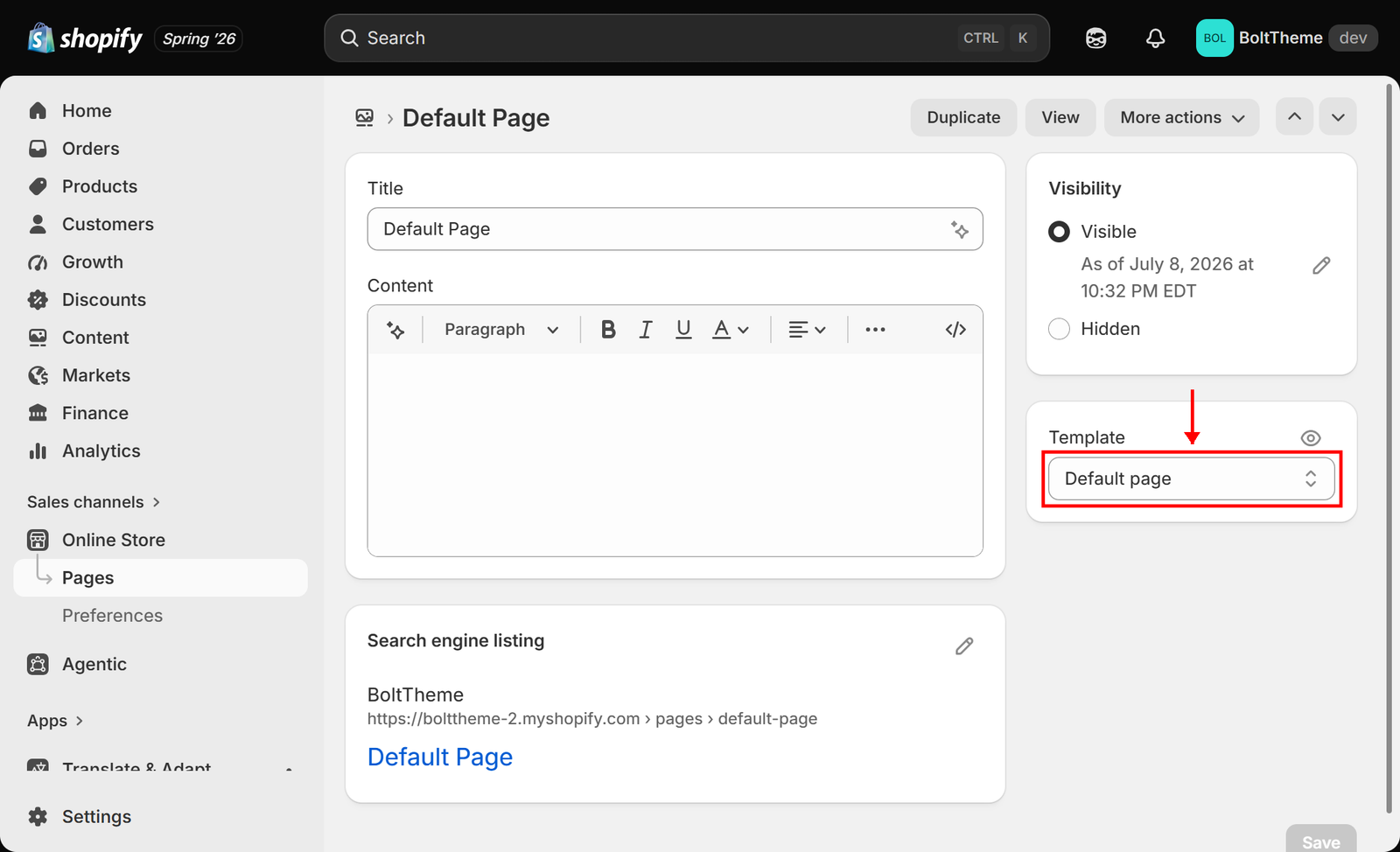
Detailed Templates Catalog
Pages Templates (templates/)
page.json(Default Page):
* A basic, clean single-column layout for standard text content. Useful for general pages like Privacy Policy or Terms of Service if you don’t need rich layouts.
page.about.json&page.about-team.json(About Us):
* Rich templates designed for company introductions. Includes custom story paragraphs, statistical cards, timelines, and company team displays.
page.contact.json(Contact Form):
* Layout containing contact forms, Google map columns, and business details.
page.faq-standard.json&page.faq-sidebar.json(FAQ layouts):
* Collapsible accordion list templates. faq-sidebar includes contact support sidebars for instant customer support access.
page.services.json(Services Catalog):
* High-value template featuring grids for service lists, feature columns with icons, download buttons, and divider configurations.
page.coming-soon.json(Pre-launch Page):
* Dedicated layout for coming soon password-protected pages. Supports split columns, countdown timers, and email newsletter signups.
page.home-landing.json(Landing Page):
* Lightweight alternative home layout hiding standard header and footer structures to maximize landing conversion.
page.ecommerce-minimal.json(Single Product Storefront):
* Fast landing page layout designed to highlight a single product rather than large catalogs.
page.legal-cards.json,page.legal-grid.json,page.legal-masonry.json,page.legal-single-card.json:
* Four unique layouts designed to display legal pages, terms, and policies in different visual styles.
Collection Templates (templates/)
collection.json(Default Collection):
* Standard collection layout displaying collection header banner alongside product grids.
collection.catalog-main.json(Clean Catalog Grid):
* Direct collection catalog page displaying product grids without top headers or banners.
collection.sidebar.json(Filtered Collection):
* Layout placing collection filters in a sidebar, optimized for large stores.
collection.showcase.json(Showcase Landing page):
* Complex landing page style for high-value collections, combining showcase heroes, stats bars, catalog grids, and CTA sections.
Product Templates (templates/)
product.json(Default Product Layout):
* Standard layout showing gallery view alongside buy modules and recommended items.
product.immersive.json(Immersive Layout):
* Widescreen immersive template designed to showcase luxury goods with large media blocks.
Blog & Article Templates (templates/)
blog.json(Default Blog):
* Grid layout showing article titles, dates, excerpts, and featured images.
blog.sidebar.json(Sidebar Blog Layout):
* Two-column view placing blog cards next to tag clouds, recent articles, and search inputs.
article.json&article.sidebar.json(Article Detail):
* Rich reading layouts for detailed blog posts.
Special Templates
404.json(Error Page):
* Custom 404 display page guiding lost visitors back to active pages.
password.json(Password Protected Page):
* Pre-launch layout shown when visitors hit a protected password storefront.
search.json(Search Directory):
* Specialized search template with live grids displaying matching products, articles, and pages.
cart.json(Shopping Cart Page):
* Overview page listing products in the cart, quantities, subtotal, and checkout buttons.